วันเสาร์ที่ 11 สิงหาคม พ.ศ. 2555

ติดต่อฐานข้อมูล MSSQL ด้วย PHP

PHP SQL Server Connect to Database (mssql) การเขียน PHP กับ SQL Server นั้นก็เป็นเรื่องที่สามารถทำได้ง่าย เหมือนกับMySQL ครับ เพราะ PHP ได้เตรียมฟังก์ชั่น mssql ไว้สำหรับการติดต่อกับฐานข้อมูลโดยเฉพาะซึ่งสามารถเรียกใช้งานได้ในทันที

mssql_error()

Warning: mssql_connect() [function.mssql-connect]: Unable to connect
to server: localhost in C:\AppServ\www\myphp\phpSQLServerConnect.php on line 7


ถ้าเกิดข้อผิดพลาดตามที่ผมยกตัวอย่างให้ให้ทำการดาวน์โหลดตัว extension ชื่อ php_mssql.dll

php_mssql.dll


ไปไว้ในโฟเดอร์ extension ของ php เช่น C:\AppServ\php5\ext หรือสามารถตรวจสอบ Path ได้ที่ php.ini


Start -> Run -> php.ini

extension_dir = "C:/AppServ\php5\ext"
.
.
.
.
.
extension=php_mssql.dll


Copy ntwdblib.dll ไปไว้ที่ C:\Windows\system32\ 


และก็ Restart Apache หรือ Web Server ด้วยน่ะครับ เสร็จแล้วเป็นอันใช้ได้


Syntax

$objConnect = mssql_connect($host,$user,$pass);

$host = server,ip,computer-name
$user = user
$pass = password


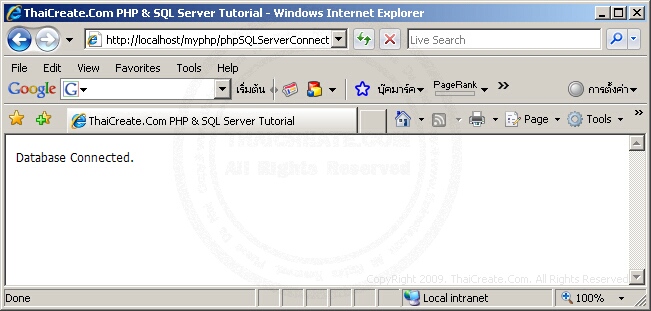
ตัวอย่างการเขียนติดต่อ PHP กับ SQL Server ผ่าน mssql


phpSQLServerConnect.php

01.<html>
02.<head>
03.<title>ThaiCreate.Com PHP & SQL Server Tutorial</title>
04.</head>
05.<body>
06.<?
07.$objConnect = mssql_connect("localhost","sa","");
08.if($objConnect)
09.{
10.echo "Database Connected.";
11.}
12.else
13.{
14.echo "Database Connect Failed.";
15.}
16. 
17.mssql_close($objConnect);
18.?>
19.</body>
20.</html>


PHP & SQL Server


SQL Server 2005


SQL Server 2008


Reference : http://www.thaicreate.com/php-manual/ref.mssql.html

วันเสาร์ที่ 4 สิงหาคม พ.ศ. 2555

How to: Copy, Delete, and Move Files and Folders (C# Programming Guide)


How to: Copy, Delete, and Move Files and Folders (C# Programming Guide)

The following example shows how to copy files and directories.
// Simple synchronous file copy operations with no user interface.
// To run this sample, first create the following directories and files:
// C:\Users\Public\TestFolder
// C:\Users\Public\TestFolder\test.txt
// C:\Users\Public\TestFolder\SubDir\test.txt
public class SimpleFileCopy
{
    static void Main()
    {
        string fileName = "test.txt";
        string sourcePath = @"C:\Users\Public\TestFolder";
        string targetPath =  @"C:\Users\Public\TestFolder\SubDir";

        // Use Path class to manipulate file and directory paths.
        string sourceFile = System.IO.Path.Combine(sourcePath, fileName);
        string destFile = System.IO.Path.Combine(targetPath, fileName);

        // To copy a folder's contents to a new location:
        // Create a new target folder, if necessary.
        if (!System.IO.Directory.Exists(targetPath))
        {
            System.IO.Directory.CreateDirectory(targetPath);
        }

        // To copy a file to another location and 
        // overwrite the destination file if it already exists.
        System.IO.File.Copy(sourceFile, destFile, true);

        // To copy all the files in one directory to another directory.
        // Get the files in the source folder. (To recursively iterate through
        // all subfolders under the current directory, see
        // "How to: Iterate Through a Directory Tree.")
        // Note: Check for target path was performed previously
        //       in this code example.
        if (System.IO.Directory.Exists(sourcePath))
        {
            string[] files = System.IO.Directory.GetFiles(sourcePath);

            // Copy the files and overwrite destination files if they already exist.
            foreach (string s in files)
            {
                // Use static Path methods to extract only the file name from the path.
                fileName = System.IO.Path.GetFileName(s);
                destFile = System.IO.Path.Combine(targetPath, fileName);
                System.IO.File.Copy(s, destFile, true);
            }
        }
        else
        {
            Console.WriteLine("Source path does not exist!");
        }

        // Keep console window open in debug mode.
        Console.WriteLine("Press any key to exit.");
        Console.ReadKey();
    }
}


The following example shows how to move files and directories.
// Simple synchronous file move operations with no user interface.
public class SimpleFileMove
{
    static void Main()
    {
        string sourceFile = @"C:\Users\Public\public\test.txt";
        string destinationFile = @"C:\Users\Public\private\test.txt";

        // To move a file or folder to a new location:
        System.IO.File.Move(sourceFile, destinationFile);

        // To move an entire directory. To programmatically modify or combine
        // path strings, use the System.IO.Path class.
        System.IO.Directory.Move(@"C:\Users\Public\public\test\", @"C:\Users\Public\private");
    }
}


The following example shows how to delete files and directories.
// Simple synchronous file deletion operations with no user interface.
// To run this sample, create the following files on your drive:
// C:\Users\Public\DeleteTest\test1.txt
// C:\Users\Public\DeleteTest\test2.txt
// C:\Users\Public\DeleteTest\SubDir\test2.txt

public class SimpleFileDelete
{
    static void Main()
    {
        // Delete a file by using File class static method...
        if(System.IO.File.Exists(@"C:\Users\Public\DeleteTest\test.txt"))
        {
            // Use a try block to catch IOExceptions, to
            // handle the case of the file already being
            // opened by another process.
            try
            {
                System.IO.File.Delete(@"C:\Users\Public\DeleteTest\test.txt");
            }
            catch (System.IO.IOException e)
            {
                Console.WriteLine(e.Message);
                return;
            }
        }

        // ...or by using FileInfo instance method.
        System.IO.FileInfo fi = new System.IO.FileInfo(@"C:\Users\Public\DeleteTest\test2.txt");
        try
        {
            fi.Delete();
        }
        catch (System.IO.IOException e)
        {
            Console.WriteLine(e.Message);
        }

        // Delete a directory. Must be writable or empty.
        try
        {
            System.IO.Directory.Delete(@"C:\Users\Public\DeleteTest");
        }
        catch (System.IO.IOException e)
        {
            Console.WriteLine(e.Message);
        }
        // Delete a directory and all subdirectories with Directory static method...
        if(System.IO.Directory.Exists(@"C:\Users\Public\DeleteTest"))
        {
            try
            {
                System.IO.Directory.Delete(@"C:\Users\Public\DeleteTest", true);
            }

            catch (System.IO.IOException e)
            {
                Console.WriteLine(e.Message);
            }
        }

        // ...or with DirectoryInfo instance method.
        System.IO.DirectoryInfo di = new System.IO.DirectoryInfo(@"C:\Users\Public\public");
        // Delete this dir and all subdirs.
        try
        {
            di.Delete(true);
        }
        catch (System.IO.IOException e)
        {
            Console.WriteLine(e.Message);
        }

    }
}


วันจันทร์ที่ 21 พฤษภาคม พ.ศ. 2555

PHP Programming MSSQL Stored Procedures

ตัวอย่างการสร้าง Stored Procedures


CREATE PROC usp_ShowOfficeData
 @ShowAll INT,  
 @Location VARCHAR(20),
 @Range  INT

AS


--Declare the variables
DECLARE @Select AS VARCHAR(1000)

--Build the Select Clause
IF @ShowAll = 0  --User wants only the top 5 offices, the default setting
 BEGIN
  SELECT @Select = 
    'SELECT TOP 6
     SUBSTRING(fldPrintServer, 1, 3) AS Office, 
     COUNT(*) AS [Total Print Jobs],
     SUM(fldPageCount) AS Pages,
      ''$'' + (CONVERT(VARCHAR(15),CAST( ((SUM(fldpagecount)) * (SELECT AVG(fldPageCost) FROM tblPrinters)) AS INT) ) ) AS Cost
    FROM tblPrints '
 END
IF @ShowAll = 1 --User wants to see all of the offices
 BEGIN
  SELECT @Select = 
    'SELECT 
     SUBSTRING(fldPrintServer, 1, 3) AS Office, 
     COUNT(*) AS [Total Print Jobs],
     SUM(fldPageCount) AS Pages,
      ''$'' + (CONVERT(VARCHAR(15),CAST( ((SUM(fldpagecount)) * (SELECT AVG(fldPageCost) FROM tblPrinters)) AS INT) ) ) AS Cost
    FROM tblPrints ' 
 END

--Build the Where clause
IF @location != 'All' --ALL locations is default
  BEGIN
    IF (@location != '') OR (@location IS NOT NULL)  --Checks for a bad input 
      BEGIN
        SELECT @Select = @Select + 
   'WHERE fldPrintServer LIKE ''' + @location + '%'' '
      END
  END


IF @range = 0 --0 is show MTD which is default
  BEGIN
    IF @location != 'ALL' --Does the WHERE clause already contain info
      BEGIN
        SELECT @select = @select + 
   'AND DATEPART(Month, fldDateTime) = DATEPART(Month, GETDATE()) '
      END
    ELSE
      BEGIN
        SELECT @select = @select + 
   'WHERE DATEPART(Month, fldDateTime) = DATEPART(Month, GETDATE()) ' 
      END
  END
ELSE
  IF @range = 1 --1 is show YTD data
    BEGIN
      IF @location != 'ALL' --Does the WHERE clause already contain info
        BEGIN
          SELECT @select = @select + 
   'AND DATEPART(Year, fldDateTime) = DATEPART(Year, GETDATE()) '
        END
      ELSE
        BEGIN
          SELECT @select = @select + 
   'WHERE DATEPART(Year, fldDateTime) = DATEPART(Year, GETDATE()) ' 
        END
    END
  ELSE --2 is show year 2002 data
    BEGIN
      IF @location != 'ALL' --Does the WHERE clause already contain info
        BEGIN
          SELECT @select = @select + 
   'AND DATEPART(Year, fldDateTime) = 2002 '
        END
      ELSE
        BEGIN
          SELECT @select = @select + 
   'WHERE DATEPART(Year, fldDateTime) = 2002 ' 
        END
    END

--Build Group and Order By statements
SELECT @Select = @Select +
   'GROUP BY (SUBSTRING(fldprintserver, 1, 3))
   WITH ROLLUP
   ORDER BY Pages DESC' 

--Execute the statement and return the results
EXEC (@select)

GO


ตัวอย่างการใช้ PHP เรียกใช้งาน Stored Procedures

PHP Code:
// Link Identifier $conn = mssql_pconnect("server", "username", "password");
if(! 
$conn){
  print 
"A connect to the SQL Server was not made.";
}
// Select Database Name $db = mssql_select_db("PLog", $conn);
if(! 
$db){
  print 
"The database was not found.";
}
     
// Create Querry for Stored Procedure In Code $stmt = mssql_init("usp_ShowOfficeData",$conn);$SQL_office = $office; $SQL_range = $range; $SQL_showall = 1;// Bind Peramaters To Send To Stored Proc. mssql_bind($stmt, "@ShowAll", $SQL_showall, SQLINT4); mssql_bind($stmt, "@Location", $SQL_office, SQLVARCHAR, FALSE, FALSE, 20); mssql_bind($stmt, "@Range", $SQL_range, SQLINT4);// Execute SQL Statement & Capture Results $result = mssql_execute($stmt);// Fetch Return Data And Place Into Array For Access $row0 = mssql_fetch_array($result);
     
// Print Firm MTD Totals In Table print "<table width=\"800\" border=\"0\" cellspacing=\"0\" cellpadding=\"1\">";
print 
"  <tr>";
print 
"    <td><font size=\"2\" face=\"Verdana, Arial, Helvetica, sans-serif\"><strong>Firm Totals: </strong>".$rangeDisplay."</font></td>";
print 
"  </tr>";
print 
"</table>";
print 
"<table width=\"800\" border=\"0\" cellspacing=\"0\" cellpadding=\"0\">";
print 
"  <tr>";
print 
"    <td width=\"20\">&nbsp;</td>";
print 
"    <td width=\"260\"><font size=\"2\" face=\"Verdana, Arial, Helvetica, sans-serif\">Print Jobs: ".$row0["Total Print Jobs"]."</font></td>";
print 
"    <td width=\"260\"><font size=\"2\" face=\"Verdana, Arial, Helvetica, sans-serif\">Total Printed Pages: ".$row0["Pages"]."</font></td>";
print 
"    <td width=\"260\"><font size=\"2\" face=\"Verdana, Arial, Helvetica, sans-serif\">Total Cost: ".$row0["Cost"]."</font></td>";
print 
"  </tr>";
print 
"</table>";
print 
"<br><br>";
     
// Print Each Office's MTD Totals In A Table print "<table width=\"800\" border=\"0\" cellspacing=\"0\" cellpadding=\"1\">";
print 
"  <tr>";
print 
"    <td bgcolor=\"#000000\"><table width=\"800\" border=\"0\" cellspacing=\"1\" cellpadding=\"0\">";
print 
"        <tr bgcolor=\"#99CC66\">";
print 
"          <td width=\"200\"><strong><font size=\"2\" face=\"Verdana, Arial, Helvetica, sans-serif\">&nbsp;Office Data </font></strong></td>";
print 
"          <td width=\"200\"><strong><font size=\"2\" face=\"Verdana, Arial, Helvetica, sans-serif\">&nbsp;Total Print Jobs</font></strong></td>";
print 
"          <td width=\"200\"><strong><font size=\"2\" face=\"Verdana, Arial, Helvetica, sans-serif\">&nbsp;Number of Pages</font></strong></td>";
print 
"          <td width=\"200\"><strong><font size=\"2\" face=\"Verdana, Arial, Helvetica, sans-serif\">&nbsp;Total Cost </font></strong></td>";
print 
"        </tr>";
     
// Place Office Print Data Into The Main Table By Rows while($row1 = mssql_fetch_array($result)){
  
// Assign Variables
  
$officeName = $row1["Office"];
  
$pJobs = $row1["Total Print Jobs"];
  
$pages = $row1["Pages"];
  
$cost = $row1["Cost"];
  if(
$officeName == NULL){}
  else{
    
// Print Variables in Table
    
print "        <tr bgcolor=\"#FFFFFF\">";
    print 
"          <td width=\"200\"><font size=\"2\" face=\"Verdana, Arial, Helvetica, sans-serif\">&nbsp;".$officeName."</font></td>";
    print 
"          <td width=\"200\"><font size=\"2\" face=\"Verdana, Arial, Helvetica, sans-serif\">&nbsp;".$pJobs."</font></td>";
    print 
"          <td width=\"200\"><font size=\"2\" face=\"Verdana, Arial, Helvetica, sans-serif\">&nbsp;".$pages."</font></td>";
    print 
"          <td width=\"200\"><font size=\"2\" face=\"Verdana, Arial, Helvetica, sans-serif\">&nbsp;".$cost."</font></td>";
    print 
"        </tr>";
  }
} 
// End While Loop

// Close Table     
print "      </table></td>";
print 
"  </tr>";
print 
"</table>";  
วันอังคารที่ 13 มีนาคม พ.ศ. 2555

การขับรถอย่างถูกวิธีในสภาวะต่างๆ

 การขับรถอย่างถูกวิธีในสภาวะต่างๆ 
     รถติดบนทางชัน ผู้ที่ไม่คุ้นเคยกับรถที่ขับเมื่อรถติดบนทางขึ้นสะพาน มักเกิดปัญหารถถอยหลังขณะจะออกตัว เครื่องดับ สะดุด ควรปฏิบัติดังนี้
  • ดึงเบรคมือไว้ในตำแหน่งเกียร์ว่าง ปล่อยแป้นเหยียบเบรค
  • จะออกรถ(เกียร์ธรรมดา) เข้าเกียร์ 1 มือซ้ายจับเบรคมือ มือขวาจับพวงมาลัย ปล่อยคลัทช์ช้าๆ เหยียบคันเร่งเบาๆ รถทําท่าขยับเคลื่อนไปข้างหน้า แล้วจึงกดปุ่มปลดเบรคมือลง
  • ถ้าเกียร์ auto เข้าเกียร์ค้างไว้พร้อมเหยียบเบรคเมื่อหยุด แล้วปล่อยเบรค เมื่อ่ต้องการเคลื่อนที่เหยียบคันเร่งเบาๆ รถจะเคลื่อนที่ๆไปข้างหน้า
      การขับรถในเวลากลางคืน
  • ไม่ควรขับรถด้วยความเร็วสูง
  • ใช้ไฟสูงถ้าถนนมืดมาก
  • ลดแสงสว่างที่หน้าปัทม์ลง
  • เปลี่ยนเป็นใช้ไฟต่ำเมื่อมีรถสวนมา
      การขับรถในขณะฝนตก

วันศุกร์ที่ 10 กุมภาพันธ์ พ.ศ. 2555

e-Learning Project Management

สำหรับใครที่สนใจการบริหารจัดการโครงการพัฒนาสื่อ e-Learning รับรองว่า VDO Clip นี้สามารถให้ไอเดียดี ๆ ได้แน่นอนครับ ใครที่เคยดูแลโครงการพัฒนาสื่อ e-Learning ที่จัดทำภายในองค์กร (หรืออาจจะเป็นบริการที่รับจัดทำสื่อ e-Learning ให้กับลูกค้าภายนอก) ก็จะพบว่าการบริหารจัดการโครงการดังกล่าวนั้น จะมีรายละเอียดแตกต่างกับการบริหารจัดการโครงการ IT อื่น ๆ เพราะว่าตัว e-Learning นั้นจะประกอบไปด้วย 2 ส่วนหลัก ๆ รวมกันซึ่งก็คือเรื่องของ Learning กับเรื่องของ IT (หรือเรื่องของ Technology) ซึ่งจะต้องมีการจัดการทั้งสององค์ประกอบให้เหมาะสม
โดยรูปแบบที่จะนำเสนอใน VDO Clip ข้างล่างนี้ จะแบ่งขั้นตอนของการบริหารจัดการโครงการได้ดังนี้ครับ